01
Open Your Profile
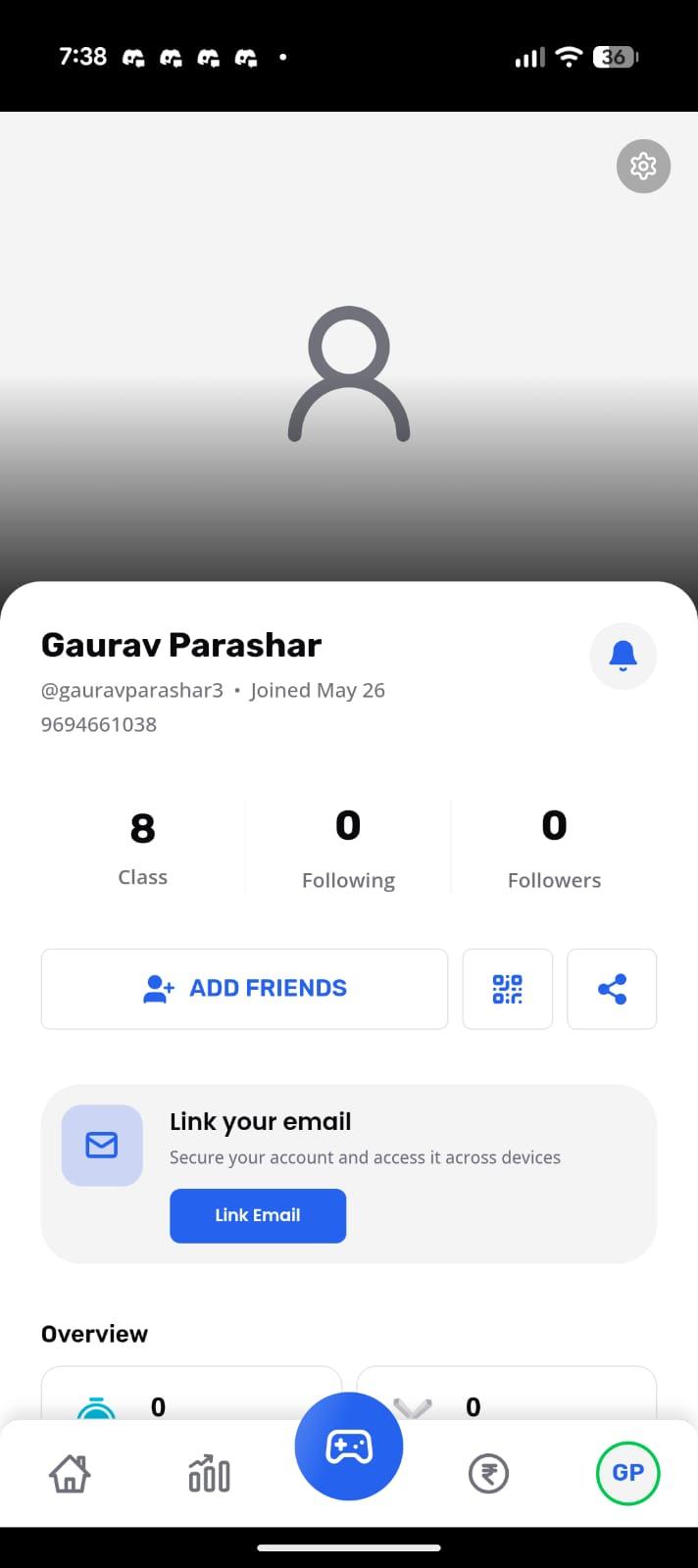
Open the Edzy app and tap on your profile icon from the bottom navigation bar.

You can permanently delete your Edzy account directly from the Edzy app in a few simple steps. This page explains exactly how to do it and what gets removed after confirmation.
In-app deletion
No support ticket is required.
Permanent action
Deleted accounts cannot be restored later.
Step-by-step guide
Follow these screenshots in order. Each screen matches what you should see in the app during the deletion flow.
Open the Edzy app and tap on your profile icon from the bottom navigation bar.
Tap the settings icon in the top-right corner to open the Manage Profile screen.
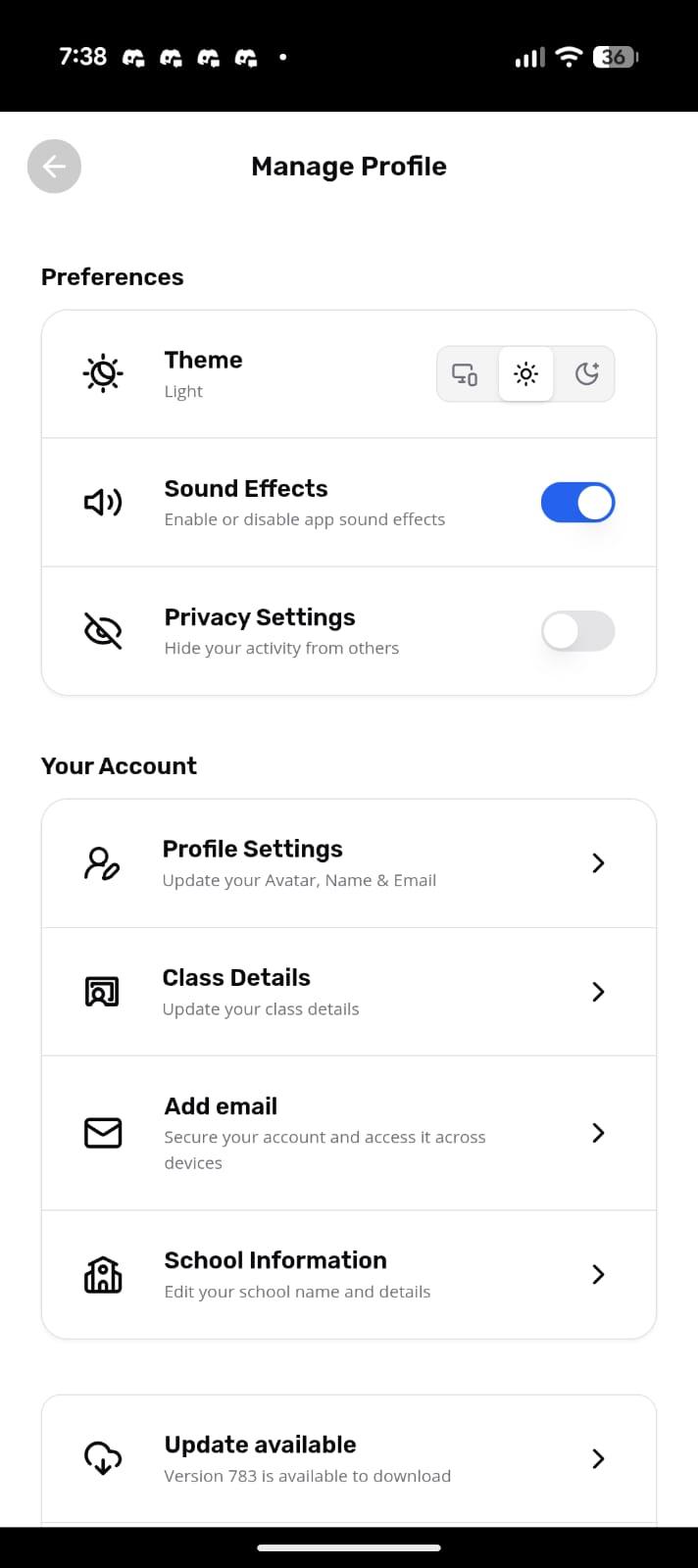
Scroll down inside the Manage Profile screen until you see the Delete Account option.
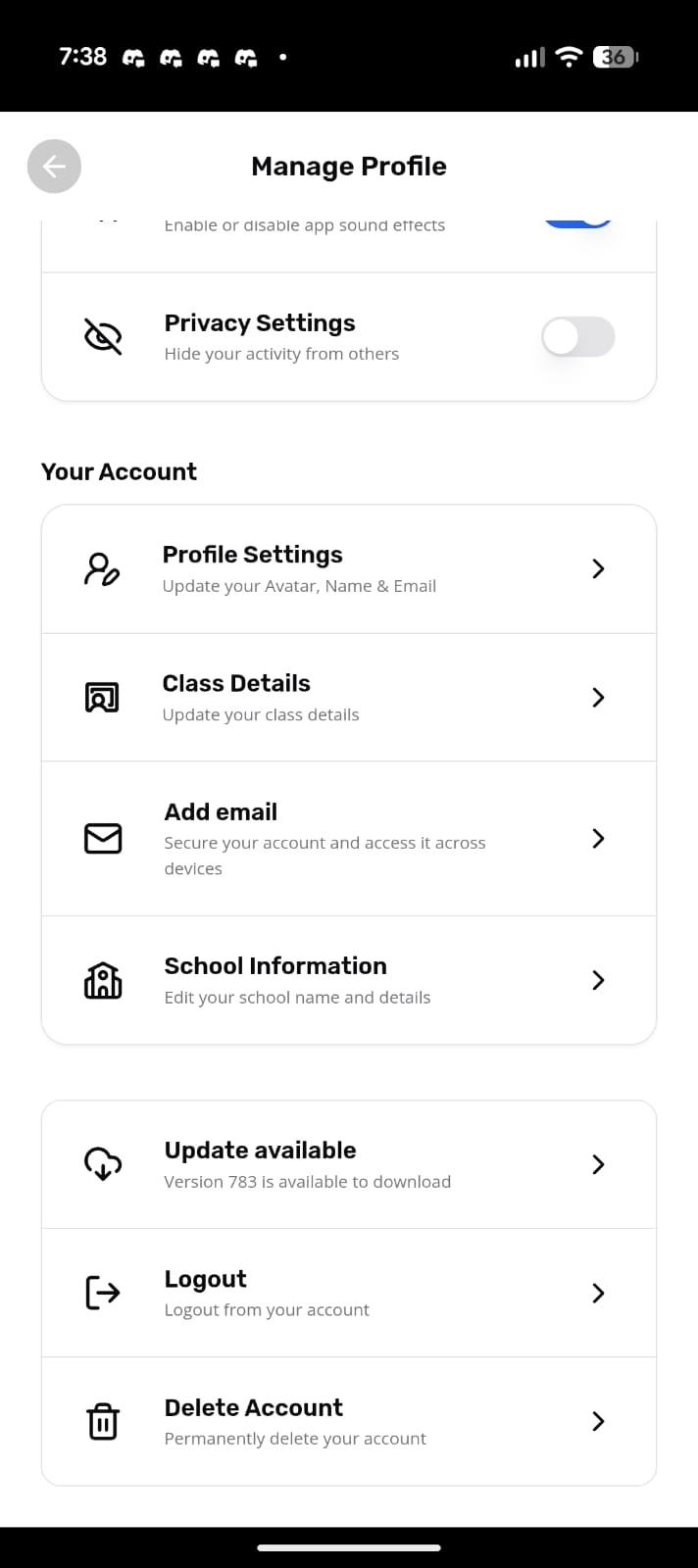
Tap on Delete Account to begin the permanent account deletion process.
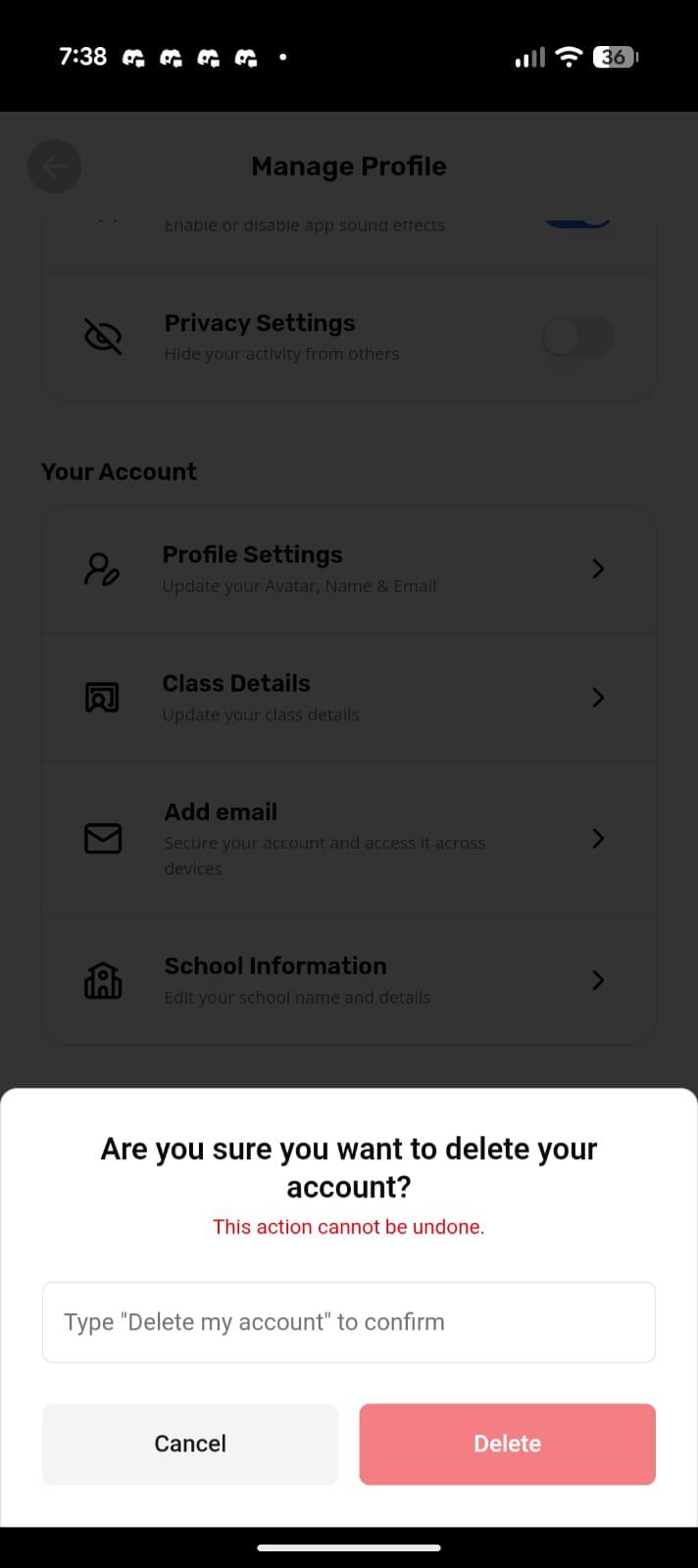
Type "Delete my account" inside the confirmation box to continue.
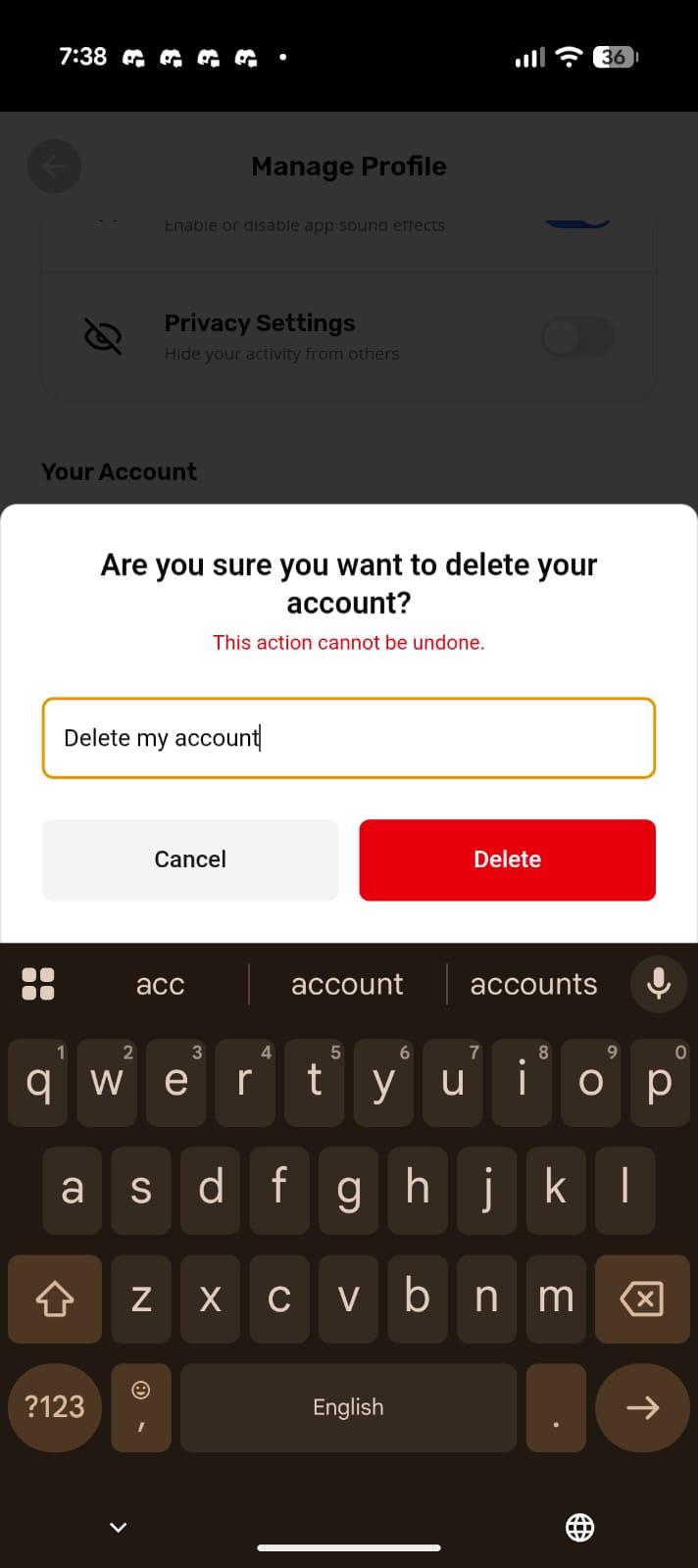
Tap the red Delete button to permanently remove your Edzy account and associated learning data.
Data deletion information
When you delete your Edzy account, we permanently remove your account and associated learning information from our systems.
Need Help?
If you are facing issues while deleting your account, contact the Edzy support team and we will help you.
Contact SupportSupport email: always@edzy.ai
FAQ